
- Installing SureRank
- SureRank Onboarding Guide
- How to Activate Your SureRank Pro License
- SureRank Dashboard Overview
- General Settings
- Advanced Settings
- Search Console – SureRank
- Managing URL Redirection in SureRank
- SureRank Feature Management – Quick Guide
- Robots.txt Feature in SureRank
- Instant Indexing in SureRank Pro
- Using the Focus Keyword Feature in SureRank
- Image SEO – SureRank
- Google Indexing in SureRank
- How to Configure Custom Fields with SureRank
- Breadcrumbs Feature in SureRank Pro
- Extended Meta Templates in SureRank Pro
- SureRank Pro – Link Suggestions
- Sitemaps in SureRank
- How to Enable Video Sitemap in SureRank Pro
- How to Enable the News Sitemap in SureRank
- How to Show the HTML Sitemap on Your Site in SureRank Pro
- How to Regenerate the Sitemap After Excluding a Post Type in SureRank
- Change the Sitemap URL in SureRank
- How to Enable Author Sitemap in SureRank
- How to Fix WWW and Non-WWW Version Redirects to Improve Your SEO
- How to Fix: No H1 Heading Found on Your Homepage
- How to Fix Missing H2 Headings on Your Homepage
- Re-run Checks Button in SureRank
- Fix Critical Error: Another SEO Plugin Detected in SureRank
- Fix Warning: Site Tagline Is Not Set in SureRank
- How to Fix: Robots.txt Contains Invalid Rules in SureRank
- How to Fix Multiple SEO Plugins Detected on Your Site
- How to Fix: Homepage is Not Indexable by Search Engines
- Warning: Homepage Does Not Contain Internal Links
- How to Fix: Search Engine Title is Missing on the Page
- Page Level SEO: Broken Links Detected
- How to Fix Missing Alt Text on Images
- How to Fix Page URLs That Are Too Long
- Page Level SEO Warning: No Links Found on This Page
- Page Level SEO Warning: No Images or Videos Found
- Page Level SEO Warning: Missing Search Engine Description
- Page Level SEO Warning: No Subheadings Found on This Page
- Page Level SEO Warning: Canonical Tag is Missing
- Page Level SEO Warning: Open Graph Tags Missing
- What is Google Search Console and how does SureRank use it?
- Recommended Image Sizes
- SureRank – SEO Check Severity Guide
- Using SureRank with Other SEO Plugins – Best Practices
- Import/Export Feature – SureRank Plugin
- What is llms.txt and Does SureRank Support It?
- Does SureRank offer a keyword rank-tracking feature?
- Does SureRank Come With Google Analytics Integration?
- Email Summary in SureRank
- SureRank Role Manager
- Customize XML Sitemap Top Bar with surerank_sitemap_top_bar_data
- Analyze ACF Field Content with SureRank
- Preserve Modified Date During Updates surerank_freeze_modified_date
- Customize Final Title Tag surerank_final_title
- Customize Post Type Archive Title Output surerank_post_type_archive_title
- Customize Archive Page Title with surerank_archive_title
- CustomizeModify the Search Results Page Title surerank_search_title
- Customizing the 404 Page Title surerank_not_found_title
- Customizing the Title Separator surerank_title_separator
- How to Remove Archive Prefixes from Titles Using SureRank
Breadcrumbs Feature in SureRank Pro
Breadcrumbs help users understand where they are on your website and make navigation easier. They also help search engines understand your site structure, which can improve SEO.
This document explains how to enable, configure, and use the Breadcrumbs feature in SureRank Pro.
What Are Breadcrumbs?
Breadcrumbs show a navigation path, usually at the top of a page or post.
Example: Home > Category > Subcategory > Post
Benefits:
- Help users navigate back easily
- Improve internal linking
- Improve SEO and search appearance
How to Access Breadcrumb Settings
- Go to your WordPress Dashboard.
- Navigate to SureRank → Advanced Settings.
- Click on Breadcrumbs.
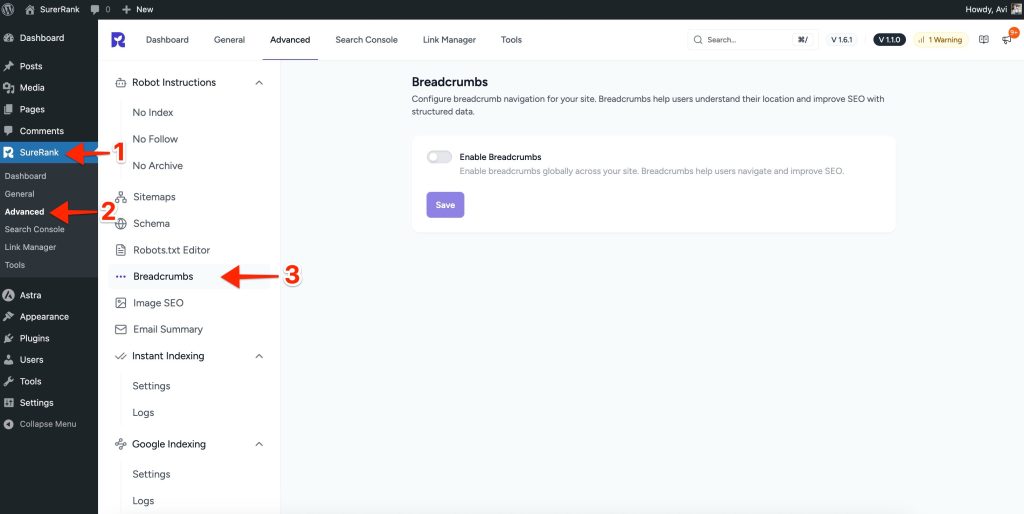
Enable Breadcrumbs
- On the Breadcrumbs screen, you will see a toggle option.
- Enable the toggle to turn on breadcrumbs.
- This enables breadcrumbs globally across your website.
Once enabled, breadcrumbs will be available for use on your site.
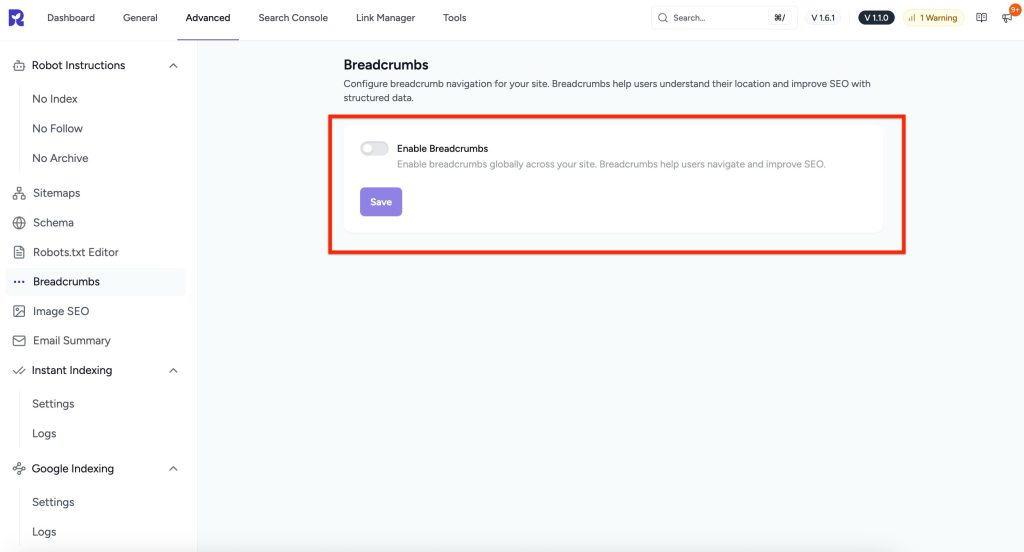
Enable Ancestor (Parent) Categories
SureRank Pro allows you to display parent categories in breadcrumbs.
- Enable the Ancestor Categories toggle.
- This displays the full category hierarchy.
Example:
Home > Category > Subcategory > Post
This helps users clearly understand your content structure.
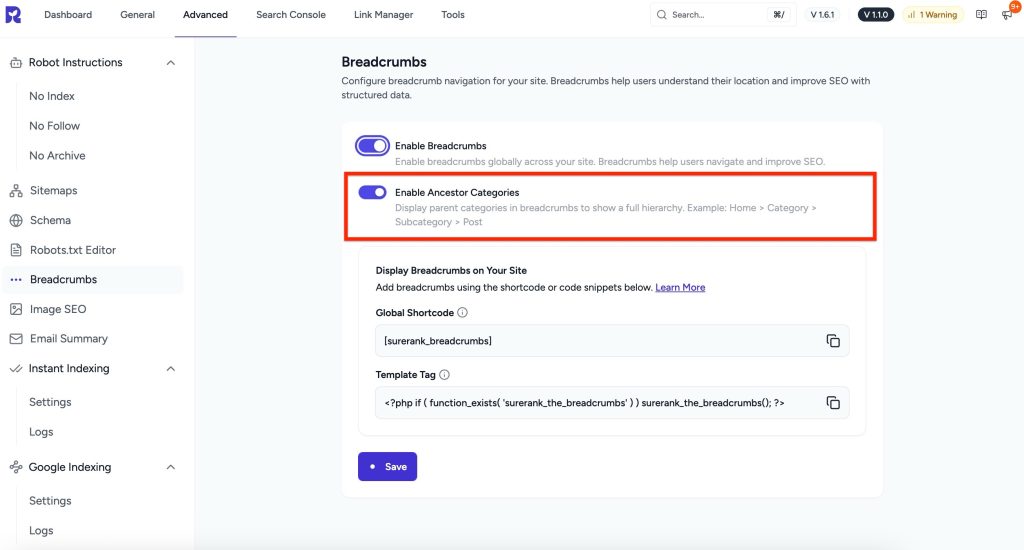
Display Breadcrumbs on Your Website
SureRank Pro provides two ways to display breadcrumbs.
Option 1: Using Shortcode
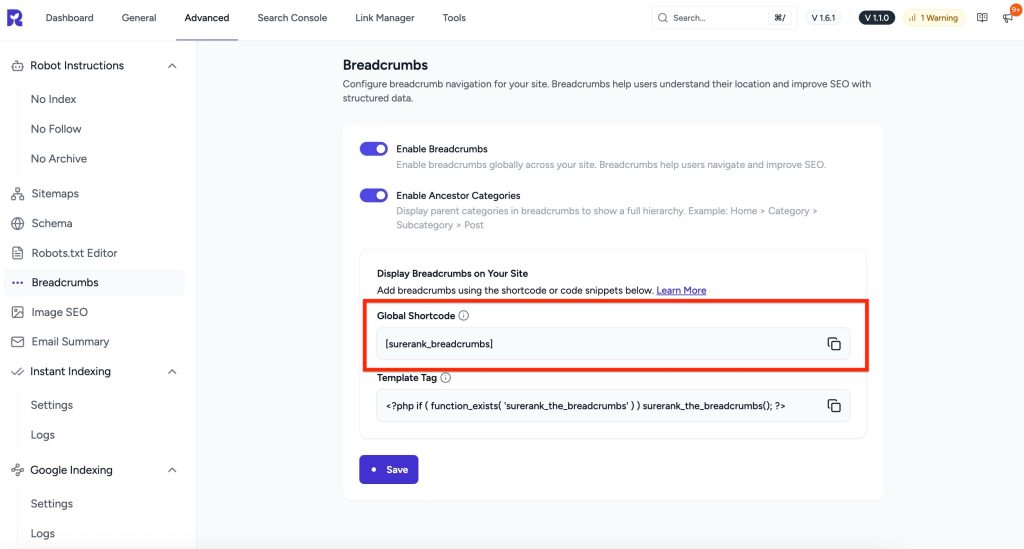
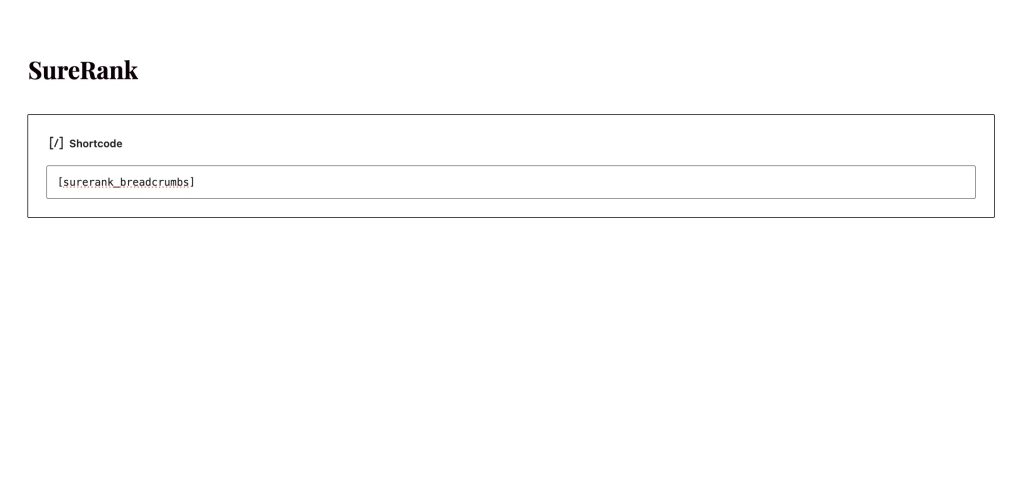
- Copy the breadcrumb shortcode from the Breadcrumbs settings screen.
- Open the page, post, or template where you want to display breadcrumbs.
- Paste the shortcode into the content editor.
- Save the page.
This method works well with page builders and block editors.
Shortcode Added to Page
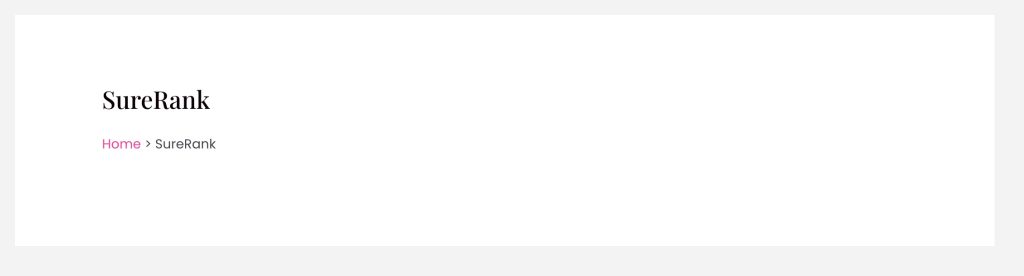
Breadcrumbs Display on Page
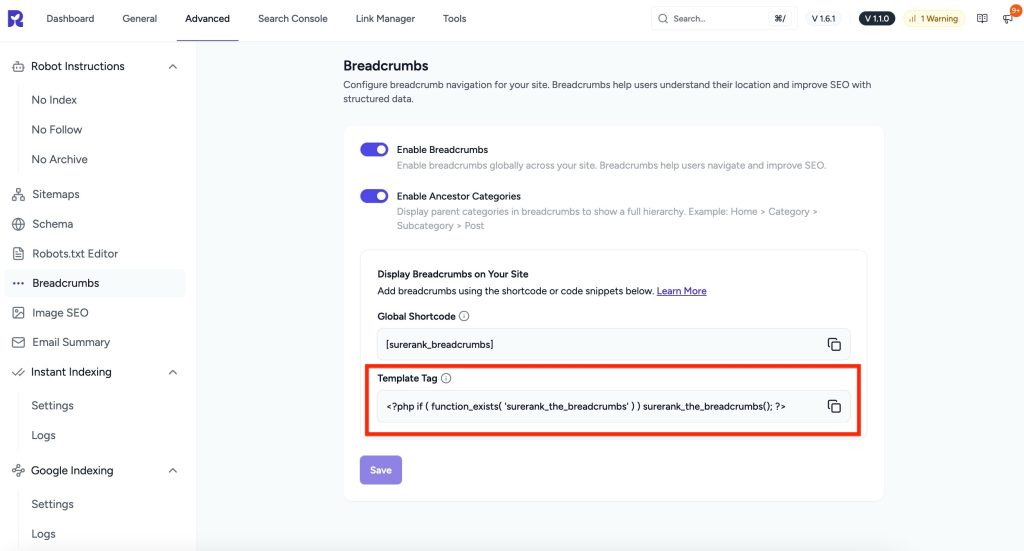
Option 2: Using Template Tag
Using a template tag is ideal if you want breadcrumbs to blend seamlessly with your theme layout.
When to use this method:
- You want breadcrumbs to appear automatically
- You are working with a custom or classic WordPress theme
- You prefer theme-level control instead of shortcodes
Where to add the template tag:
Add it to your child theme template files where breadcrumbs should appear.
Common files:
- single.php – Blog posts
- page.php – Pages
- archive.php – Category and archive pages
- header.php – Below the header across the site
1. Shortcodes
SureRank Pro offers flexible shortcode options to customize breadcrumb output.
Basic Usage
[surerank_breadcrumbs]With Custom Separator
[surerank_breadcrumbs separator="/"]Custom Home Label
[surerank_breadcrumbs home_label="Start"]Hide Post Title
[surerank_breadcrumbs hide_post_title="true"]Hide Home Crumb
[surerank_breadcrumbs show_home="false"]With Prefix
[surerank_breadcrumbs prefix="You are here:"]Disable Schema
[surerank_breadcrumbs enable_schema="false"]Custom 404 Label
[surerank_breadcrumbs 404_label="Page Not Found"]Custom Search Format
[surerank_breadcrumbs search_format="Search: %s"]Custom Archive Format
[surerank_breadcrumbs archive_format="Archive: %s"]Combined Example
[surerank_breadcrumbs
    separator="»"
    home_label="Home"
    prefix="Navigation:"
    hide_post_title="false"
    show_blog_page="true"
]2. Filters
SureRank Pro provides multiple filters for advanced control and customization.
General Settings Filters
Modify All Breadcrumb Settings at Runtime (surerank_breadcrumbs_settings)
add_filter( 'surerank_breadcrumbs_settings', function( $settings ) {
    // Change separator
    $settings['separator'] = ' / ';

    // Change home label
    $settings['home_label'] = 'Start';

    // Add prefix
    $settings['prefix'] = 'Navigate: ';

    // Hide post title on single posts
    if ( is_single() ) {
        $settings['hide_post_title'] = true;
    }

    return $settings;
} );Modify Separator Only(surerank_breadcrumbs_separator)
add_filter( 'surerank_breadcrumbs_separator', function( $separator ) {
    return ' → '; // Use right arrow
} );Extended Settings Filters
Modify extended defaults (not stored in the database). (surerank_extended_breadcrumbs_defaults)
add_filter( 'surerank_extended_breadcrumbs_defaults', function( $extended_settings ) {
    // Extended settings are NOT stored in DB
    $extended_settings['separator']          = ' › ';
    $extended_settings['show_home']          = true;
    $extended_settings['home_label']         = 'Home';
    $extended_settings['hide_post_title']    = false;
    $extended_settings['hide_taxonomy_name'] = false;
    $extended_settings['show_blog_page']     = true;
    $extended_settings['prefix']             = 'You are here: ';
    $extended_settings['enable_schema']      = true;
    $extended_settings['search_format']      = 'Search results for: %s';
    $extended_settings['404_label']          = '404 - Page not found';
    $extended_settings['archive_format']     = 'Archives: %s';

    return $extended_settings;
} );Schema Filters
Disable Schema Output (surerank_breadcrumbs_schema_enabled)
add_filter( 'surerank_breadcrumbs_schema_enabled', '__return_false' );Conditional Schema Disable
// Conditional disable
add_filter( 'surerank_breadcrumbs_schema_enabled', function( $enabled ) {
    // Disable on certain pages
    if ( is_front_page() ) {
        return false;
    }
    return $enabled;
} );Modify Schema Data (surerank_schema_data)
add_filter( 'surerank_schema_data', function( $data ) {
    // Modify breadcrumb schema data before output
    if ( isset( $data['current']['breadcrumbs'] ) ) {
        // Add additional schema properties
        foreach ( $data['current']['breadcrumbs'] as &$crumb ) {
            $crumb['item']['@type'] = 'WebPage';
        }
    }
    return $data;
}, 10 );WooCommerce Filters
Change Product Primary Taxonomy (surerank_breadcrumbs_product_primary_taxonomy)
add_filter( 'surerank_breadcrumbs_product_primary_taxonomy', function( $taxonomy ) {
    // Use product_tag instead of product_cat
    return 'product_tag';
} );Change Primary Product Term (surerank_breadcrumbs_primary_product_term)
add_filter( 'surerank_breadcrumbs_primary_product_term', function( $term, $terms ) {
    // Select highest priority term
    usort( $terms, function( $a, $b ) {
        return $a->term_id - $b->term_id;
    });
    return $terms[0];
}, 10, 2 );Control Shop Page in Permalink (surerank_breadcrumbs_shop_in_permalink)
add_filter( 'surerank_breadcrumbs_shop_in_permalink', function( $has_shop, $shop_page ) {
    // Always show shop page in product breadcrumbs
    return true;
}, 10, 2 );Display Control Filters
Control When Breadcrumbs Display (surerank_breadcrumbs_should_display)
add_filter( 'surerank_breadcrumbs_should_display', function( $enabled ) {
    // Hide on homepage
    if ( is_front_page() ) {
        return false;
    }

    // Show only on specific post types
    if ( ! is_single() && ! is_page() ) {
        return false;
    }

    return true;
} );Remove Breadcrumbs from Specific Pages
add_filter( 'surerank_breadcrumbs_should_display', function( $enabled ) {
    // Exclude specific pages by ID
    $excluded_pages = [ 42, 123, 456 ];
    if ( is_page( $excluded_pages ) ) {
        return false;
    }
    return $enabled;
} );Summary
The Breadcrumbs feature in SureRank Pro offers flexible display options, powerful shortcode controls, and advanced filters for developers. This allows you to create clear navigation paths that improve both user experience and SEO.
We don't respond to the article feedback, we use it to improve our support content.