
- Sitemaps in SureRank
- How to Enable Video Sitemap in SureRank Pro
- How to Enable the News Sitemap in SureRank
- How to Show the HTML Sitemap on Your Site in SureRank Pro
- How to Regenerate the Sitemap After Excluding a Post Type in SureRank
- Change the Sitemap URL in SureRank
- How to Enable Author Sitemap in SureRank
- How to Fix WWW and Non-WWW Version Redirects to Improve Your SEO
- How to Fix: No H1 Heading Found on Your Homepage
- How to Fix Missing H2 Headings on Your Homepage
- Re-run Checks Button in SureRank
- Fix Critical Error: Another SEO Plugin Detected in SureRank
- Fix Warning: Site Tagline Is Not Set in SureRank
- How to Fix: Robots.txt Contains Invalid Rules in SureRank
- How to Fix Multiple SEO Plugins Detected on Your Site
- How to Fix: Homepage is Not Indexable by Search Engines
- Warning: Homepage Does Not Contain Internal Links
- How to Fix: Search Engine Title is Missing on the Page
- Page Level SEO: Broken Links Detected
- How to Fix Missing Alt Text on Images
- How to Fix Page URLs That Are Too Long
- Page Level SEO Warning: No Links Found on This Page
- Page Level SEO Warning: No Images or Videos Found
- Page Level SEO Warning: Missing Search Engine Description
- Page Level SEO Warning: No Subheadings Found on This Page
- Page Level SEO Warning: Canonical Tag is Missing
- Page Level SEO Warning: Open Graph Tags Missing
- What is Google Search Console and how does SureRank use it?
- Recommended Image Sizes
- SureRank – SEO Check Severity Guide
- Using SureRank with Other SEO Plugins – Best Practices
- Import/Export Feature – SureRank Plugin
- What is llms.txt and Does SureRank Support It?
- Does SureRank offer a keyword rank-tracking feature?
- Does SureRank Come With Google Analytics Integration?
- Email Summary in SureRank
- SureRank Role Manager
- Customize XML Sitemap Top Bar with surerank_sitemap_top_bar_data
- Analyze ACF Field Content with SureRank
- Preserve Modified Date During Updates surerank_freeze_modified_date
- Customize Final Title Tag surerank_final_title
- Customize Post Type Archive Title Output surerank_post_type_archive_title
- Customize Archive Page Title with surerank_archive_title
- CustomizeModify the Search Results Page Title surerank_search_title
- Customizing the 404 Page Title surerank_not_found_title
- Customizing the Title Separator surerank_title_separator
- How to Remove Archive Prefixes from Titles Using SureRank
SureRank – Robots.txt File
SureRank automatically generates a clean and optimized robots.txt file for your website, ensuring that search engine crawlers access only what they need, improving crawl efficiency, and protecting sensitive or unnecessary pages from being indexed.
What is robots.txt?
The robots.txt file is a simple text file located at the root of your domain that gives instructions to search engine bots on which pages or directories they are allowed (or disallowed) to crawl.
SureRank creates this file dynamically based on your site’s SEO settings, offering you the right balance between visibility and protection.
Edit Your Robots.txt File
You can edit your site’s robots.txt file directly from the WordPress dashboard using SureRank.
- Navigate to SureRank → Advanced Settings.
- Scroll to the Robots.txt Editor section.
- Add or modify the directives as needed.
- Click Save Changes.
For example:
User-agent: *
Disallow: /wp-admin/
Allow: /wp-admin/admin-ajax.php
Sitemap: https://yourwebsite.com/sitemap.xmlHow to View Your Robots.txt File?
To check if the file is active on your site:
- Go to your website URL.
- Add /robots.txt to the end of your domain.
Example:
https://yourwebsite.com/robots.txt
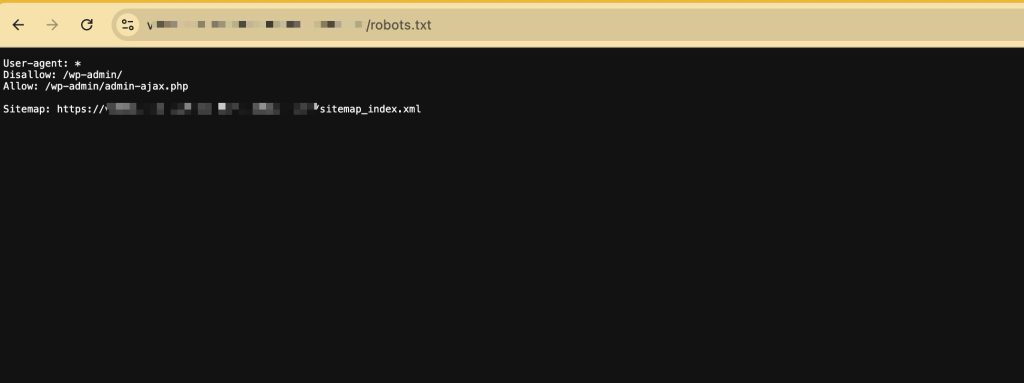
If SureRank is active, you’ll see a file like this:
User-agent: *
Disallow: /wp-admin/
Allow: /wp-admin/admin-ajax.php
Sitemap: https://yourwebsite.com/sitemap.xml
Why Aren’t My Robots.txt Changes Appearing?
If your changes don’t appear after saving, your website may already have a physical robots.txt file in its root directory.
When a physical robots.txt file exists, the web server serves that file instead of the virtual robots.txt generated by SureRank. As a result, any changes made in the SureRank Robots.txt Editor will not be reflected on your website until the physical file is removed or renamed.
How to Check if a Physical Robots.txt File Exists
You can check whether your website has a physical robots.txt file by following these steps:
- Log in to your hosting account.
- Open File Manager or connect to your server using FTP.
- Navigate to your website’s root directory (commonly public_html or the WordPress installation directory).
- Look for a file named:
robots.txt
If this file exists, it is overriding the robots.txt managed by SureRank.
How to Resolve the Conflict
If you want SureRank to manage your robots.txt file, follow these steps:
- Create a backup of the existing robots.txt file.
- Delete or rename the physical robots.txt file in your site’s root directory.
- Go back to SureRank → Advanced Settings → Robots.txt Editor.
- Save your desired robots.txt rules again.
- Visit:
to confirm that the updated content is being served.
Note: If your hosting provider or another plugin automatically creates a physical robots.txt file, you’ll need to remove or update that file before SureRank’s Robots.txt Editor can take effect.
Troubleshooting Tips
If your changes still don’t appear after removing the physical robots.txt file:
- Clear your website, server, or CDN cache.
- Refresh the robots.txt page in an incognito/private browser window.
- Temporarily disable any caching plugins and check again.
- Ensure no other SEO or security plugin is generating or managing the robots.txt file.
We don't respond to the article feedback, we use it to improve our support content.