
Most WordPress posts never rank. Not because the content is bad, but because it gets published without any SEO groundwork.
The writer hits publish, shares it on LinkedIn and waits. Nothing happens and six months later, the post sits unseen on page four or five.
This WordPress on-page SEO checklist fixes that.
It covers every check a professional SEO runs before a post goes live, from keyword placement to schema markup to post-publish indexing.
Work through all 20 items and you give every post a genuine shot at ranking. Skip them and you’re hoping Google figures it out on your behalf.
Use this as your pre-publish routine. Bookmark it. Run through it every time.
A note on SureRank: Ten of these 20 checks are handled automatically or guided by SureRank’s on-page panel. Those items are flagged below.
If you’re doing this manually right now, you’ll understand exactly why the tool exists by the time you reach the end.
Content Checks: Before You Write
These four checks happen before you open a new post. Skipping them is what separates a post that ranks from one that guesses.
1. Did You Do Keyword Research Before Writing?
Every post needs a primary keyword and at least one or two secondary keywords identified before a single word gets written.
Writing first and researching keywords later can produce content that’s misaligned with what people are actually searching for.
Use a tool like Ahrefs, Semrush, or Google Search Console to confirm real search volume and intent before you start.
2. Does Your Title Include the Primary Keyword Within the First Four Words?
Google reads your title tag left to right and weighs early words more heavily. Burying your keyword at the end of a long title wastes that weighting.
“WordPress on-page SEO checklist” works.
“A complete guide to making your WordPress posts better with on-page SEO” does not.
Keep titles under 60 characters so they don’t get truncated in search results.
3. Is Your Meta Description Written?
A meta description won’t directly boost your rankings, but it drives click-through rate which does.
It appears under the page title in search results and can significantly influence whether someone clicks or not.
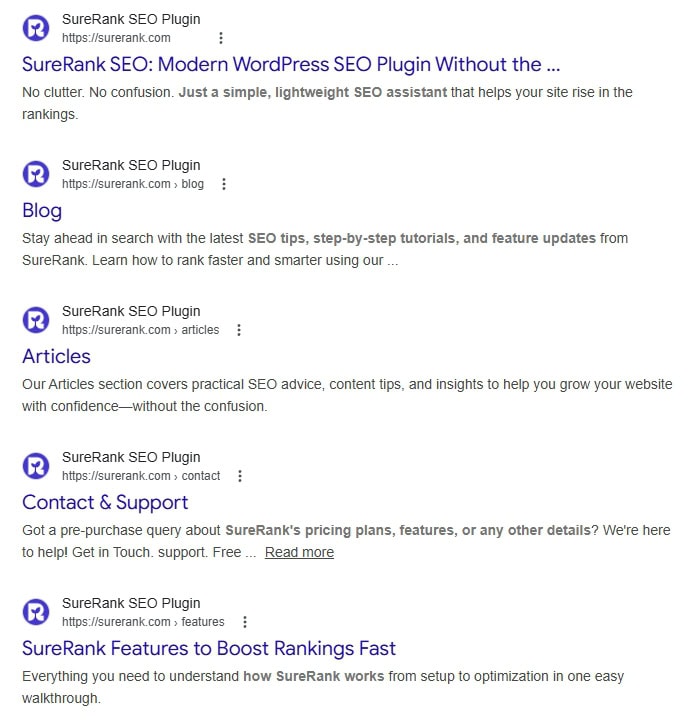
Write 150 to 160 characters, include the primary keyword naturally, and give readers a reason to click.
Think of it as a two-line pitch about what’s in the article and why they should care.
SureRank’s on-page panel shows you character count in real time and flags when you’re under or over.
4. Is Your Focus Keyword Set in SureRank’s On-Page Panel?
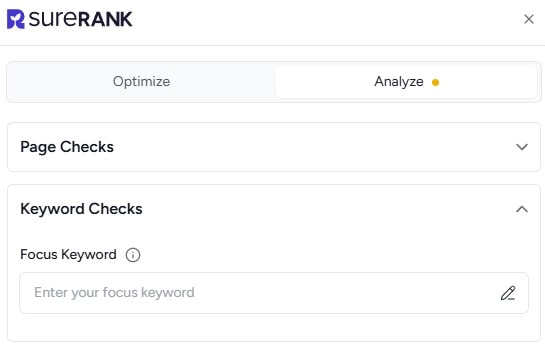
SureRank uses your focus keyword to score the entire post against on-page SEO criteria.
Without it set, you’re flying blind. Once it’s in, the panel checks keyword placement in your title, URL, meta description, headings and body and gives you a score to work against.
This is the foundation everything else builds on.
Content Checks: While Writing
These six checks happen during and after drafting. They’re the difference between content that’s readable and content that’s actually optimized.
5. Is Your URL Slug Short, Clean, and Keyword-Rich?
WordPress defaults to your full post title as the URL, which produces ugly, long slugs packed with stop words.
Trim it down to the essential keywords only.
/wordpress-on-page-seo-checklist/ is right. /wordpress-on-page-seo-checklist-20-things-to-do-before-you-hit-publish/ is not.
Remove dates, filler words, and anything that doesn’t add signal.
6. Does Your H1 Include the Primary Keyword?
Your H1 is typically your post title in WordPress, so this should happen automatically if you’ve handled check two correctly.
It’s still worth confirming, especially if your theme separates the SEO title from the displayed H1.
Google uses the H1 as a strong relevance signal, so keyword presence here matters.
7. Are H2 and H3 Subheadings Used Correctly?

Subheadings should structure your content logically, not decorate it.
Each H2 should signal a new section with its own focus.
H3s nest under H2s to break down sub-points.
Using H2s purely for visual interest, or skipping from H1 to H4, confuses crawlers and readers alike. SureRank checks heading structure as part of its on-page scoring.
8. Is the Primary Keyword in the First 100 Words?
Early keyword placement confirms relevance to both Google and the reader. It doesn’t need to be the very first sentence, but it should appear naturally within the opening paragraph.
If you’re struggling to include it organically in the intro, that’s often a sign the content angle doesn’t quite match the keyword intent.
9. Is Keyword Density Natural?
Keyword density is technically outdated, but the principle behind it, including words naturally used by someone searching for what you’re writing about, still holds.
Target a density of around 1 to 2% for your primary keyword across the full article.
Below that and you may not be signaling relevance strongly enough. Above it and you’re into keyword stuffing territory, which Google penalizes and readers notice.
SureRank flags both underuse and overuse so you can calibrate without counting manually.
10. Is Your Readability Score at Grade 7 or 8?
Most readers scan before they commit to reading. Long sentences, dense paragraphs and complex vocabulary all push people away.
Aim for a Flesch-Kincaid reading level of Grade 7 to 8, which roughly means short sentences, common vocabulary and paragraphs that don’t exceed three or four lines.
SureRank includes a readability score directly in the panel.
Media and Technical Checks
These five checks are the most commonly skipped and they’re the ones that cause the most silent ranking damage.
11. Do All Images Have Descriptive Alt Text?
Alt text serves two purposes: it helps visually impaired users understand your images and it gives Google additional context about your page.
Write natural descriptions that explain what the image shows. Include the primary keyword where it fits naturally, but don’t force it into every single image alt tag.
Use SureRank Pro and it will add alt text automatically.
12. Are Images Compressed and in WebP Format?
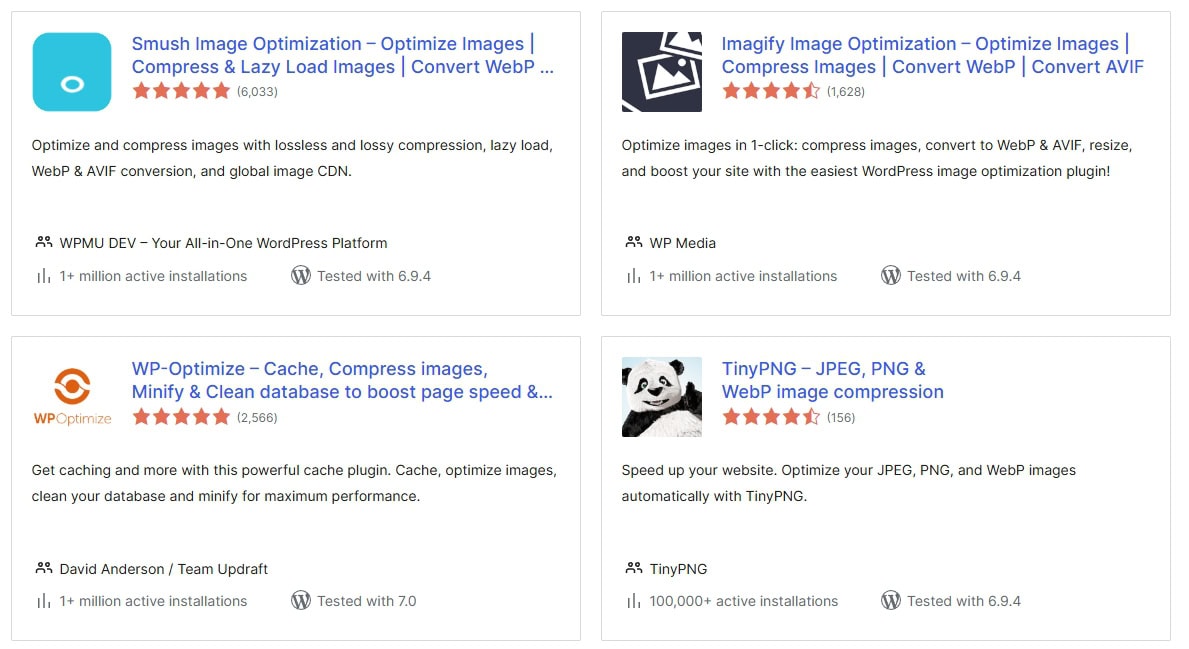
Page speed is a confirmed ranking factor, and oversized images are the most common culprit.
Convert images to WebP (Google’s preferred format) and compress them before uploading.
A single 2MB image can tank your Core Web Vitals score on mobile so it’s well worth doing.
13. Is Your Content Internally Linked to at Least Two Other Relevant Posts?
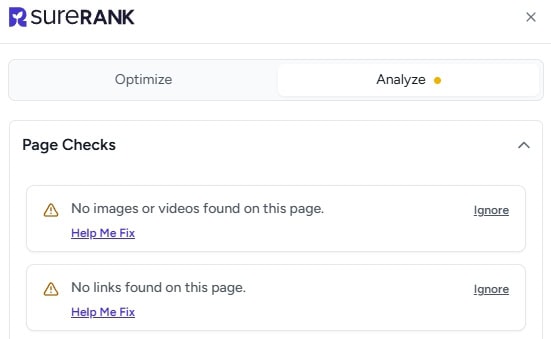
Internal links do two things: they pass authority between pages and they help Google understand your site’s content structure.
Every post should link to at least two other relevant pieces on your site. Think about where a reader might want to go next and link there.
This is also how you build topical clusters that signal expertise to Google.
14. Are External Links Set to Open in a New Tab?
When you link to an external source, set it to open in a new tab. If it opens in the same tab, you’ve just sent the reader away from your site with no guarantee they’ll come back.
This is a small UX fix with a direct impact on dwell time.
15. Is the Canonical Tag Correctly Set?
A canonical tag tells Google which version of a URL is the “official” one.
This prevents duplicate content issues when your post is accessible via multiple URLs (with and without trailing slashes, HTTP vs HTTPS, etc.).
SureRank sets canonical tags automatically, so if you’re using it, this one’s already handled.
Post-Publish Checks
Publishing isn’t the finish line. These five checks happen immediately after the post goes live.
16. Did You Submit the URL to Google Search Console for Indexing?
Google will eventually find your new post, but “eventually” could mean days or weeks.
Submitting the URL manually in Google Search Console via the URL Inspection tool prompts Google to crawl it immediately.
It takes 30 seconds and can shave days off the time it takes for your post to appear in search results.
17. Is Schema Markup Applied?
Schema markup is structured data that tells Google exactly what type of content is on your page.
Article schema improves how your post is understood in search results.
FAQ schema can produce rich results with expanded Q&A directly on the search results page, which significantly boosts click-through rate.
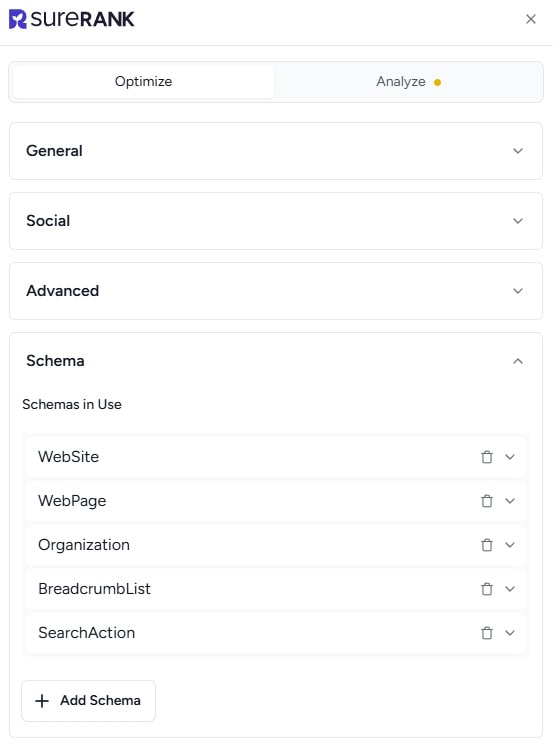
SureRank applies Article schema automatically and gives you easy FAQ schema options without touching code.
18. Is the Post Added to Your XML Sitemap?
Your XML sitemap is what Google uses to find and index all your content. If your new post isn’t in it, crawlers may miss it.
SureRank adds new posts to your sitemap automatically the moment they’re published, so this is another check that handles itself if you’re running the plugin.
19. Have You Shared the Post on Social Channels?
Social shares aren’t a direct ranking factor, but they drive early traffic and can attract backlinks from people who discover the post.
Share to every relevant channel immediately after publishing.
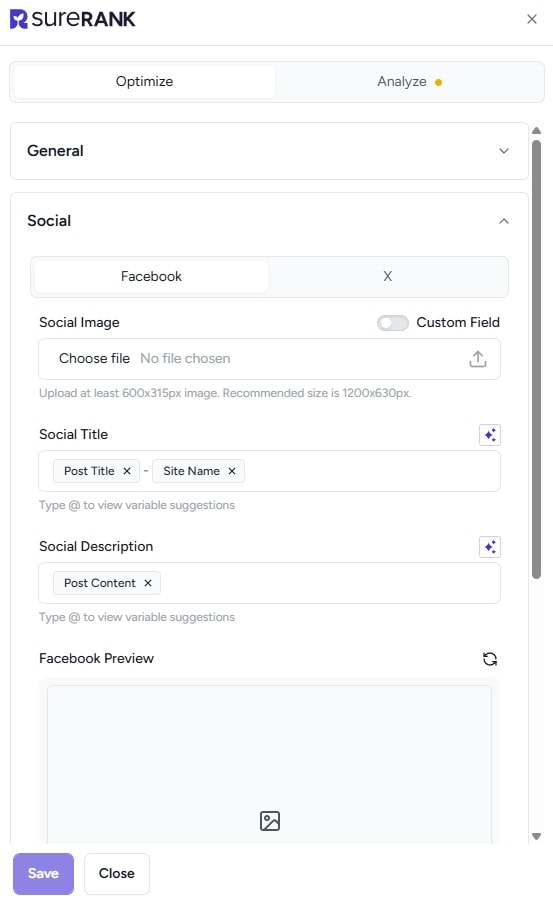
Even a modest early traffic spike sends engagement signals that can help Google prioritize crawling your new content.
20. Have You Set a Reminder to Update This Post in Six Months?
Content freshness matters more than most people realize. A post with an outdated statistic or a stale example can quietly slide down the rankings over time.
Set a calendar reminder for six months after publish to review the post, update any figures, add new information and refresh the publish date.
How SureRank Handles 10 of These 20 Checks Automatically
Running this checklist manually every time is doable. It’s also time-consuming and easy to skip when you’re under deadline pressure.
SureRank automates or actively guides ten of the twenty items so the technical half of this process happens without you having to think about it.
Here are the checks SureRank handles:
Automated (no action needed from you):
- Canonical tag (check 15) is set automatically on every post
- XML sitemap inclusion (check 18) happens the moment you publish
- Article schema (check 17) is applied automatically
Guided by the on-page panel (SureRank flags and scores each one):
- Focus keyword tracking across all placement checks (check 4)
- Meta description character count and keyword presence (check 3)
- Keyword placement in title, H1, and first 100 words (checks 2, 6, 8)
- Keyword density monitoring (check 9)
- Readability score (check 10)
- Heading structure analysis (check 7)
- FAQ schema builder (check 17)
The on-page score checker gives you a live percentage score as you write, so you can see which checks are passing and which still need attention before you hit publish.
It’s the equivalent of having an SEO reviewer sat next to you while you write.
Run your first on-page check with SureRank free and see exactly where your current posts stand.
Free Downloadable Checklist
All 20 items from this post are available as a printable PDF checklist, formatted so you can work through it item by item before every publish.
[Download the free WordPress on-page SEO checklist PDF →]
Keep it open in a second tab, print it out, or save it to your desktop.
The goal is to make this routine automatic and having the list in front of you makes that considerably easier.
Make Every Publish Count
You’ve now got the full WordPress on-page SEO checklist—20 checks, roughly 30 minutes of work, and a meaningfully higher chance that your post will actually rank.
Most content fails not because it’s poor quality, but because it gets published with avoidable gaps. A missing meta description here, no schema markup there, images that slow the page down. Each gap on its own is small. Together, they’re the reason a post sits on page four instead of page one.
Work through this checklist before publishing and you eliminate those gaps systematically. Use SureRank and you eliminate ten of them automatically, every single time.
✅ Your 20-Point WordPress On-Page SEO Checklist
- Before You Write
- Identify a primary keyword and 1–2 secondary keywords before writing
- Include the primary keyword within the first four words of your title
- Write a compelling meta description (150–160 characters) with the keyword
- Set your focus keyword in SureRank’s on-page panel
- While Writing
- Use a short, clean, keyword-rich URL slug
- Ensure your H1 includes the primary keyword
- Structure content properly using H2 and H3 subheadings
- Include the primary keyword within the first 100 words
- Maintain natural keyword density (avoid stuffing)
- Keep readability at Grade 7–8 level
- Media & Technical Checks
- Add descriptive alt text to all images
- Compress images and use WebP format
- Add at least two internal links to relevant content
- Set external links to open in a new tab
- Ensure the canonical tag is correctly set
- Post-Publish Checks
- Submit the URL to Google Search Console for indexing
- Apply schema markup (Article + FAQ where relevant)
- Confirm the post is included in your XML sitemap
- Share the post across relevant social channels
- Set a reminder to update the post in six months
Use SureRank and you eliminate ten of them automatically, every single time.
Install SureRank and let it handle the technical SEO for you, so you can focus on the content that actually takes skill.


Recommended Articles
Where’s the Focus Keyword Field in SureRank?
Where Is the Redirection Feature in SureRank?
Is SEO Dead? Or Is It Evolving Again?