
Tell Search Engines the Moment You Publish
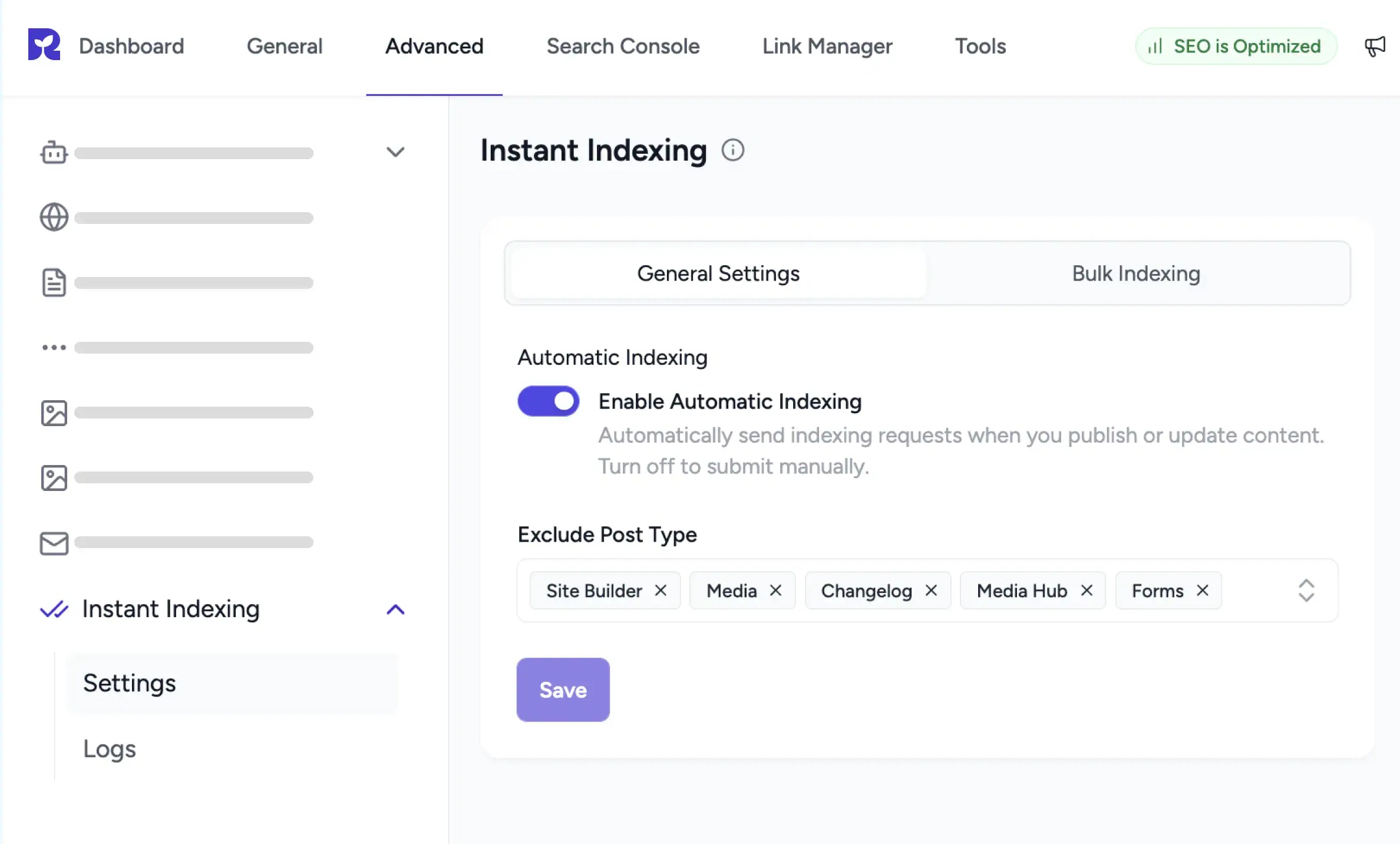
SureRank automatically notifies Bing, Yandex, and other IndexNow engines when your content is published or updated. Faster indexing without the wait.
IndexNow, Built Into Your WordPress
Pings Fire on Every Save
Save a published post and SureRank submits the URL to IndexNow in the background.
Submit in Bulk, Two Ways
Pick posts from the WordPress list view, or paste a batch of URLs into the Bulk Indexing tab.
Every Submission Logged
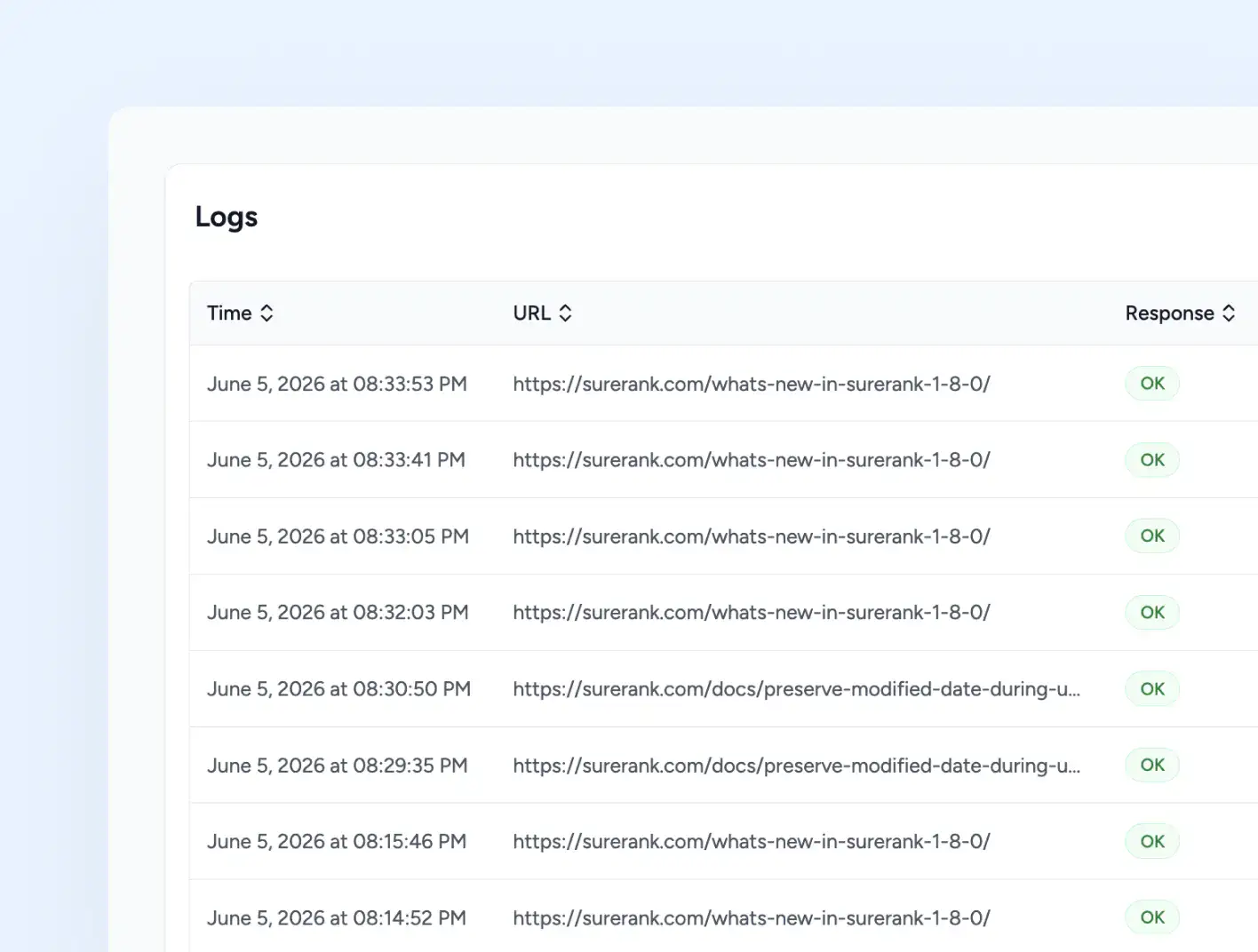
The Logs page shows Time, URL, and Response for every ping, with a Delete Logs option.
How Instant Indexing Works in SureRank
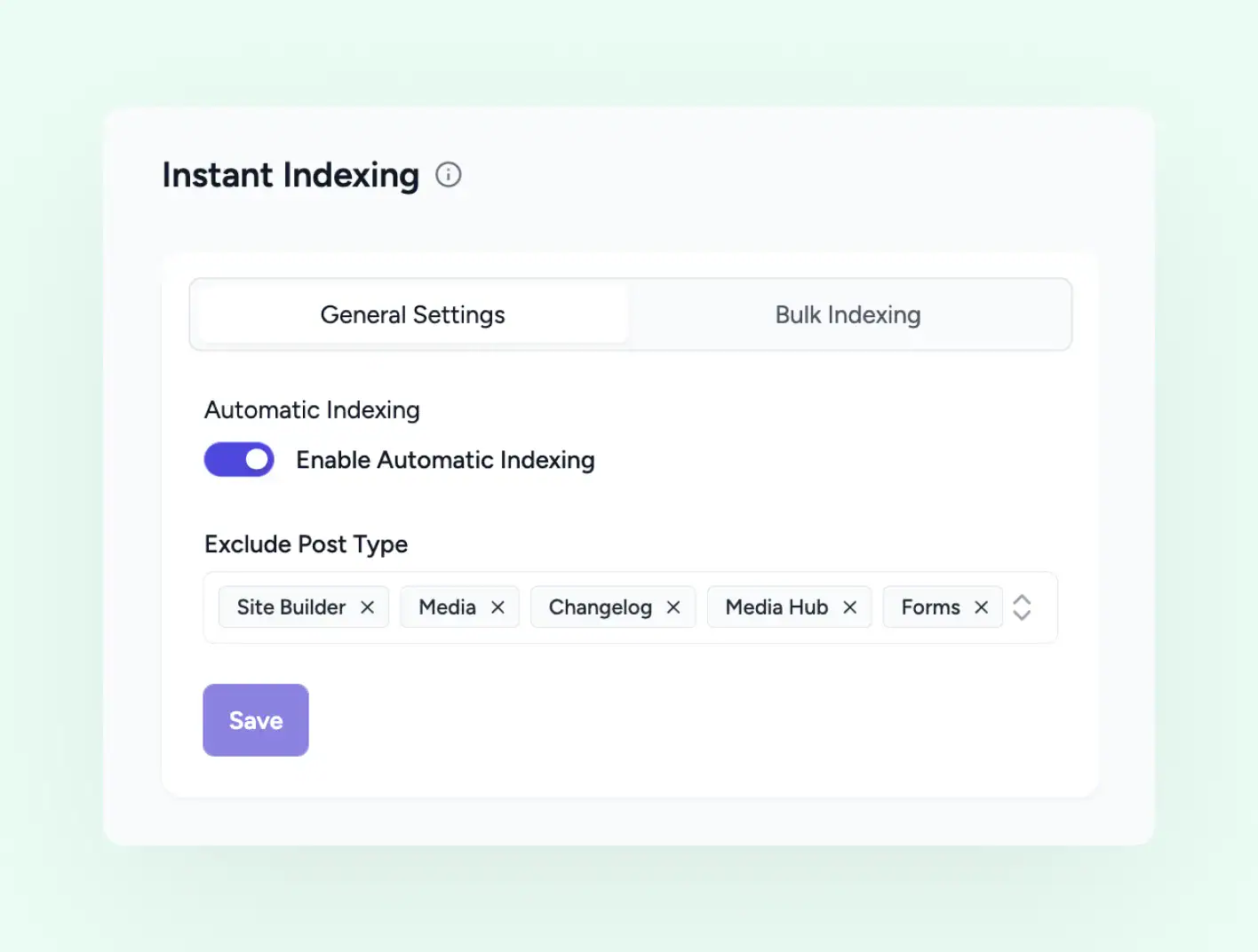
Automatic Indexing
Toggle Once, Pings Fire Forever
Enable Automatic Indexing in the General Settings tab. From that moment, every published post and every update fires a ping to IndexNow automatically. Use Exclude Post Type to keep specific CPTs out of indexing.
-
Enable Automatic Indexing in General Settings
-
Triggers on publish and update of published content
-
Exclude Post Type chips keep chosen CPTs out
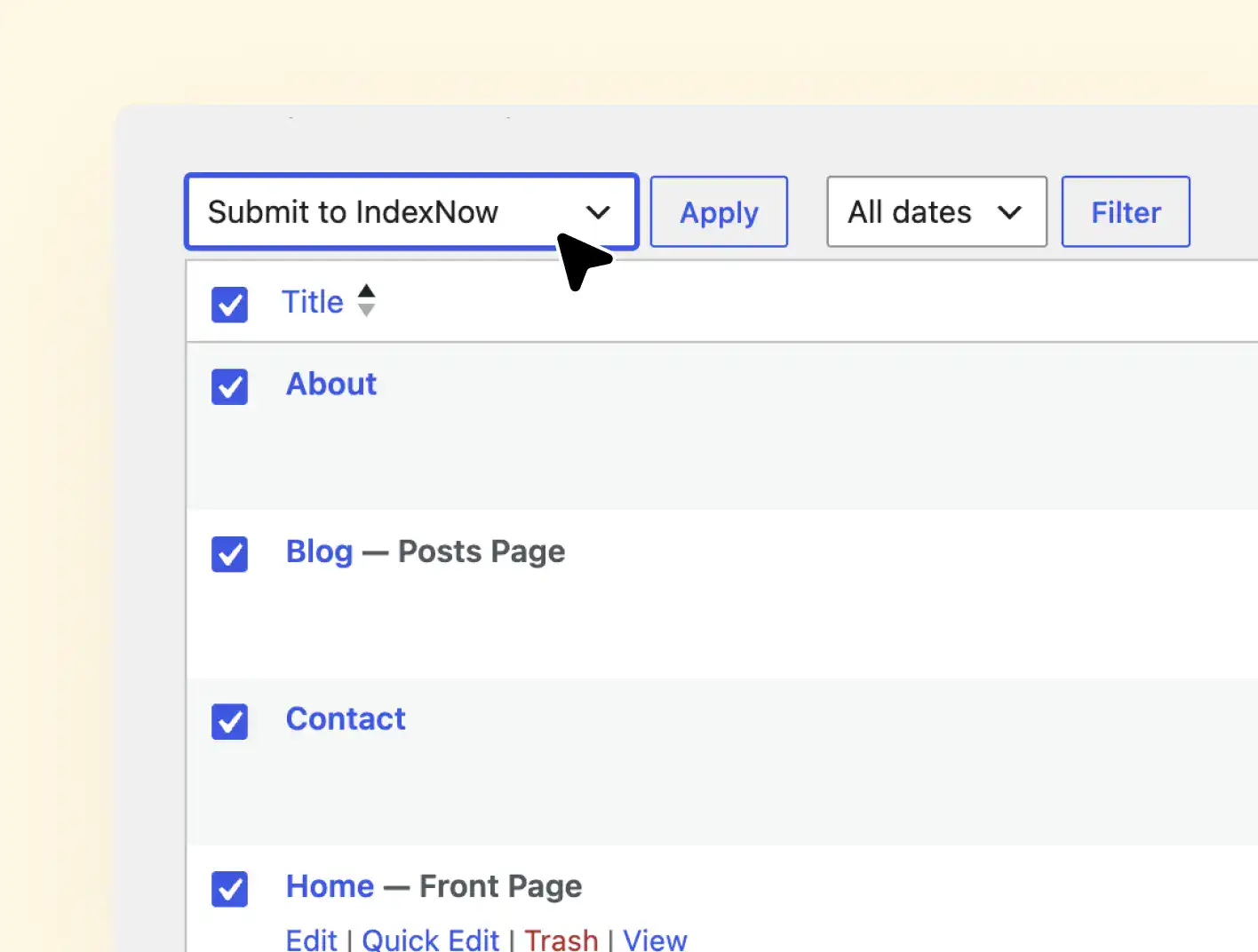
List View Bulk Action
Submit Selected Posts Without Leaving WordPress
Open the Posts, Pages, or any CPT list in WordPress, tick the items you want indexed, and choose Submit to IndexNow from the Bulk actions dropdown. SureRank submits the selection in one pass.
-
Bulk submit to IndexNow from WordPress.
-
Works on Posts, Pages, and custom post types
-
No need to open SureRank settings for selected URLs
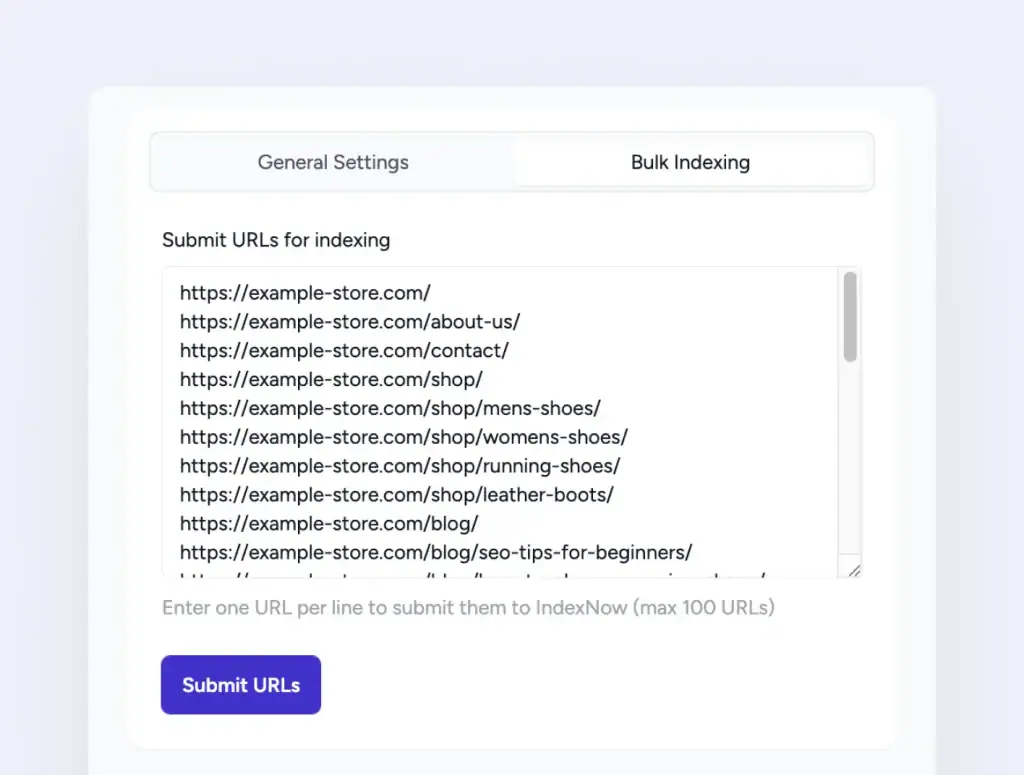
Bulk URL Submission
Paste a Batch, Submit in One Pass
Use the Bulk Indexing tab inside Instant Indexing settings to push URLs that may not exist in your WordPress lists. Paste up to 100 URLs, one per line, and SureRank sends them all to IndexNow in a single request.
-
Bulk Indexing tab inside Instant Indexing settings
-
One URL per line, up to 100 URLs per submission
-
Single Submit URLs button starts the batch
Submission Logs
Audit Every Ping You Have Sent
The Logs page records each submission with the timestamp, the URL, and the response from IndexNow. Sort by any column, clear the log when you want a fresh slate.
-
Time, URL, and Response columns for every submission
-
OK badges show successful pings
-
Delete Logs button clears the history when needed
Stop Waiting for the Next Crawl
Both indexing channels are part of SureRank Pro. Set them up once and never think about indexing again.
How It Works, Three Setup Steps
Open Instant Indexing
Go to SureRank, Advanced, then Instant Indexing.
Enable Automatic Indexing
Flip the toggle in General Settings and save.
Publish as Usual
Pings fire automatically on every publish and update from then on.
Bulk Generate Alt Text turned a six month backlog into an afternoon. The AI descriptions are accurate, not generic, and accessibility scores jumped right away.
Davide Baraldi
SEO and WordPress Specialis
Who it suits
Sites That Cannot Wait for the Next Crawl
If any of these sound like your site, IndexNow will fit right in.
News Publishers
Breaking news rarely waits for the next crawl. IndexNow gets it there.
Job Boards
Job listings expire fast. Get them indexed before the role is filled.
Event Sites
Event pages need to land in search before the event date passes.
High Frequency Bloggers
Posts published daily get indexed the same day, not next week.
WooCommerce Stores
Product updates and new listings reach search engines without delay.
Bulk Publishers
Paste up to 100 URLs in the Bulk Indexing tab for batch indexing.
Got Questions? We’ve Got Answers
All you need to know about SureRank

Have other questions?
Just reach out—we’re here to help!
Bing, Yandex, and other IndexNow participating engines. The protocol routes your URLs to all of them through one submission.
No. IndexNow integration is part of SureRank Pro.
SureRank skips it. Per page No Index rules in the SEO Metabox are respected, so flagged pages stay out of indexing channels.
Yes. Turn off Automatic Indexing and use either the Submit to IndexNow bulk action in the WordPress list view, or paste URLs into the Bulk Indexing tab.
100 URLs per submission through the Bulk Indexing tab. Paste one URL per line and click Submit URLs.
Yes. The Logs page has a Delete Logs button in the top right that clears all stored entries.


