
Keep Every Visitor on the Right Path
Set up 301 redirects to guide visitors and search engines to the correct URLs and avoid broken links. Manage rules in one place, then let Auto Redirect handle slug changes for you.
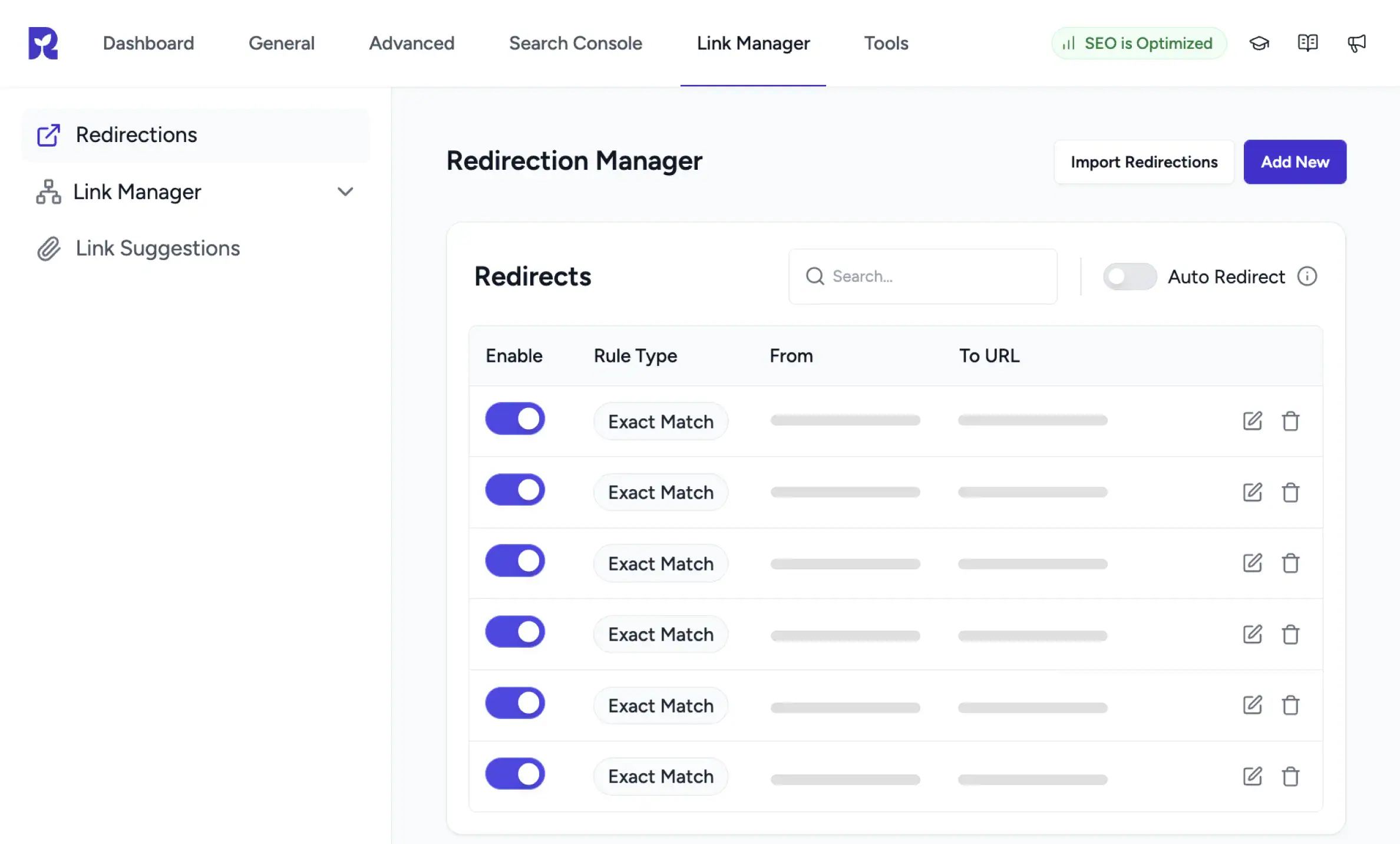
One Place for Every Redirect
301 Redirect Manager
Add, edit, and toggle 301 redirects from a single screen in WordPress.
Auto Redirect Toggle
Flip Auto Redirect on. SureRank creates a 301 every time a slug changes.
Pattern Based Matching
Match by Exact Match, Contains, Starts With, or Ends With from one dropdown.
How the Redirection Manager Works
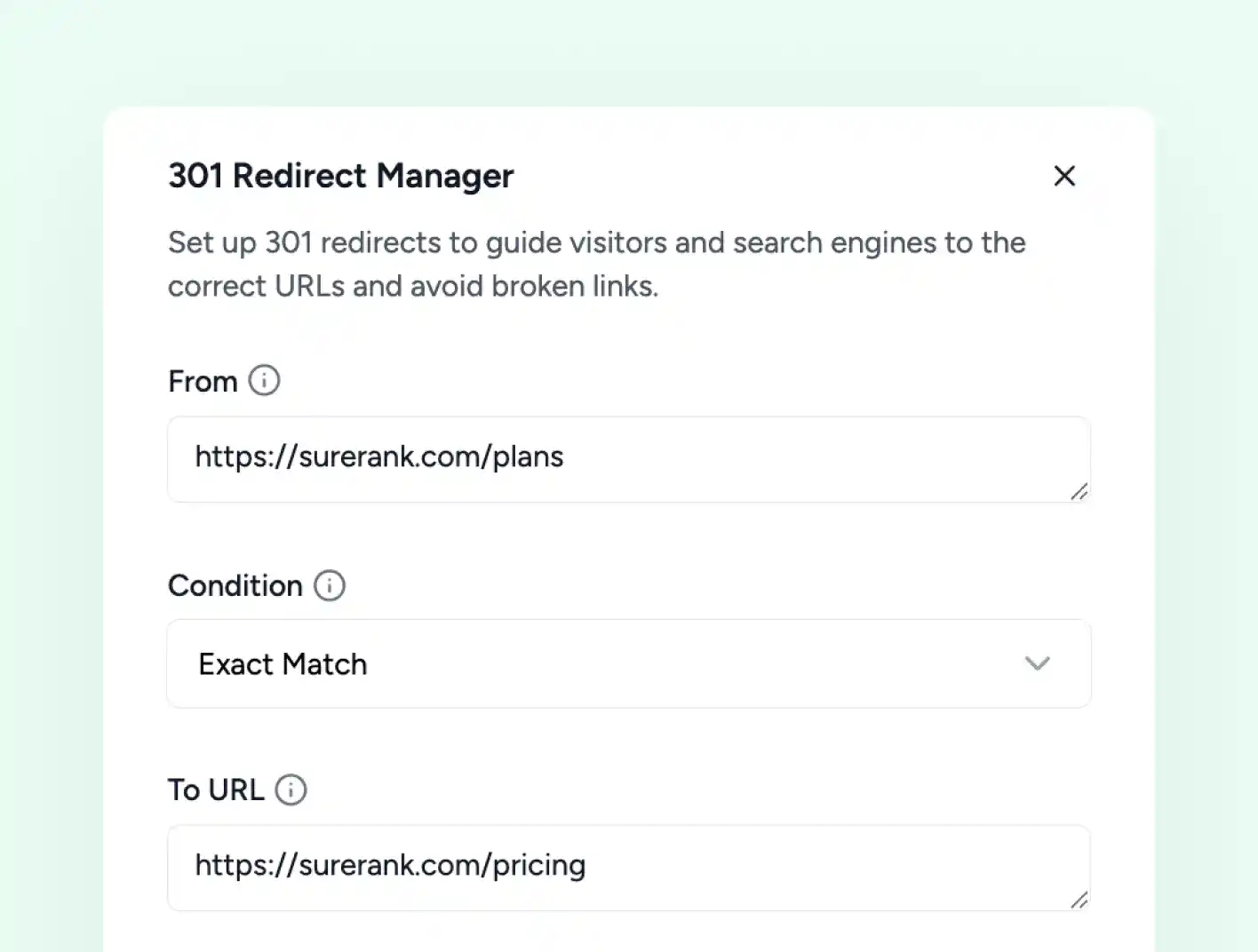
Add a Redirect
Set Up a 301 Redirect in a Slide-In Form Quickly
Click Add New and a panel slides in from the right. Enter the From URL, pick a Condition, set the To URL, and choose how query parameters are handled. Save and the redirect is live.
-
From URL field, the URL you want to redirect away from
-
To URL field, the URL visitors land on instead
-
Save button applies the rule immediately
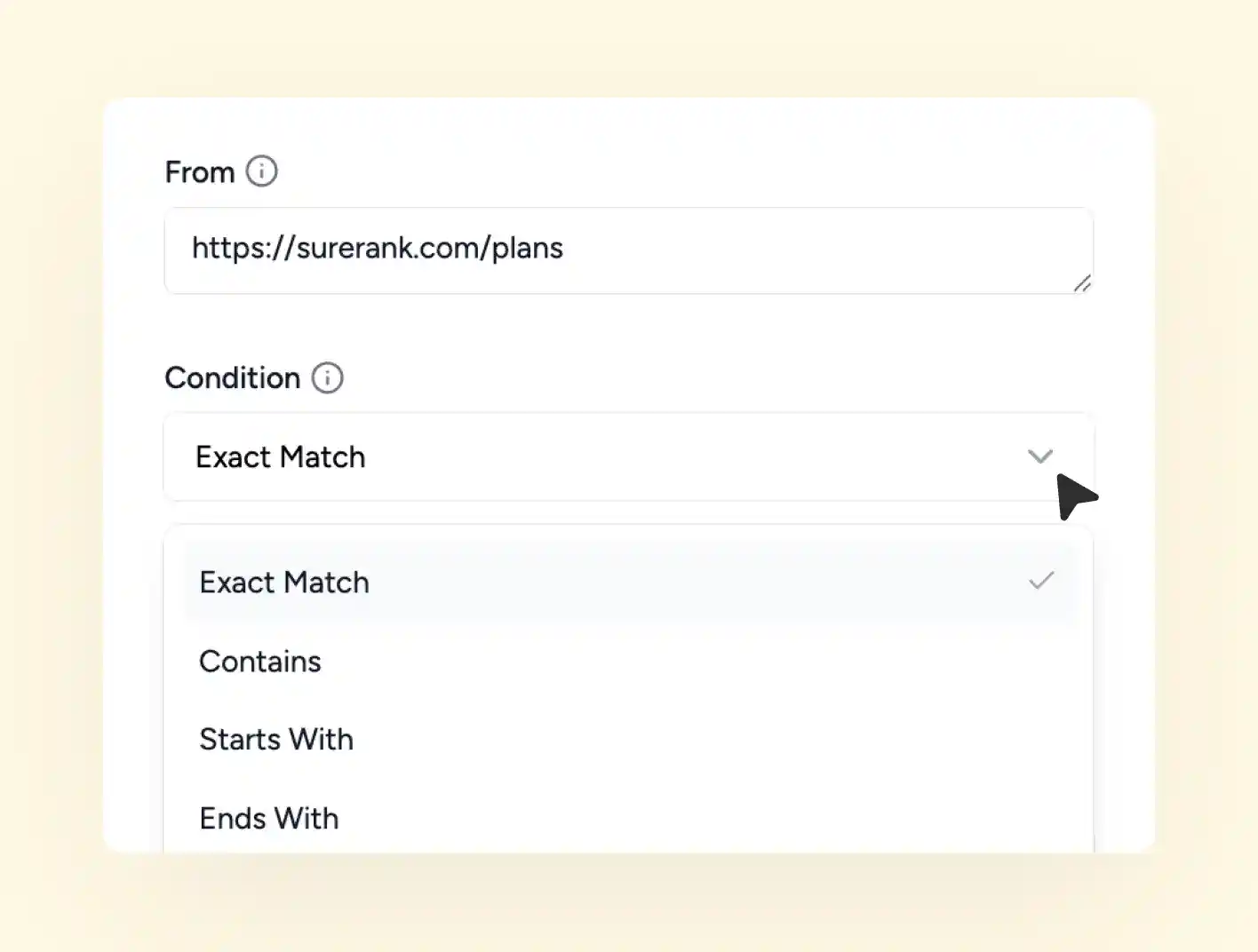
Condition Matching
Four Ways to Match From URL Exactly
Not every redirect maps one URL to one URL. SureRank lets you match the From URL by pattern, so a single rule can cover a whole group of pages.
-
Exact Match, for one specific URL
-
Contains, for any URL that contains the From string
-
Starts or ends with prefixes, dates, or extensions
Query Parameter Control
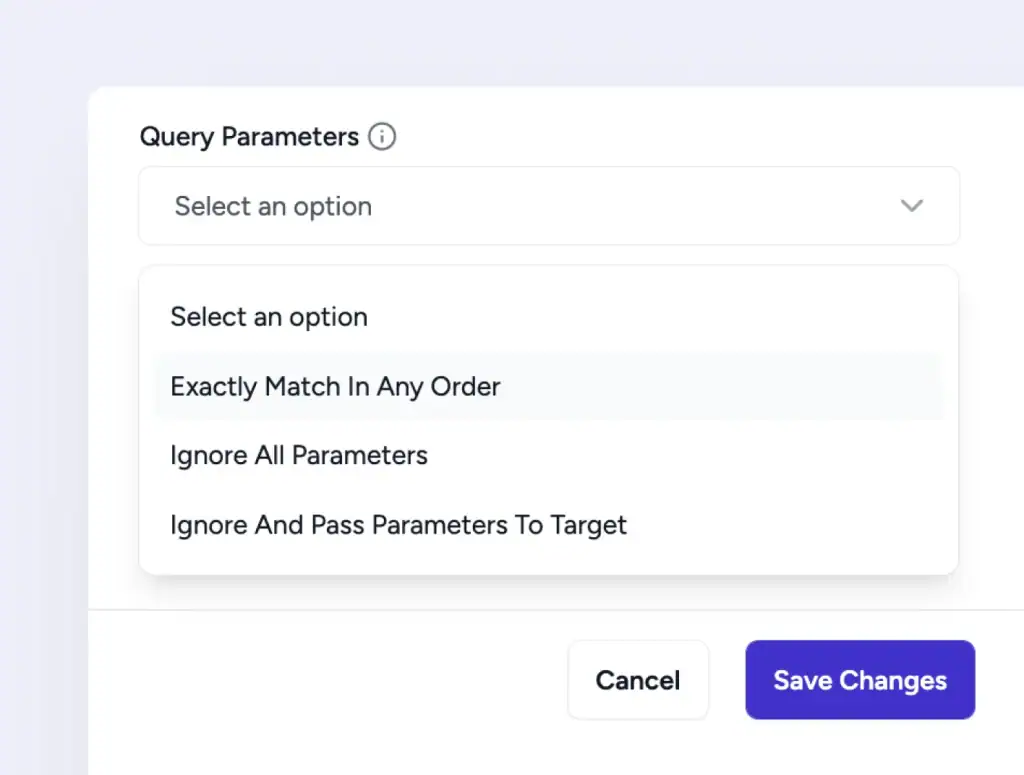
Decide What Happens to URL Parameters
Tracking URLs and filtered links often carry query parameters. SureRank gives you three ways to handle them, so the redirect behaves the way your campaigns expect.
-
Match the same parameters in any order
-
Ignore all unnecessary URL parameters
-
Pass parameters directly to target URL
Advanced Redirection Management
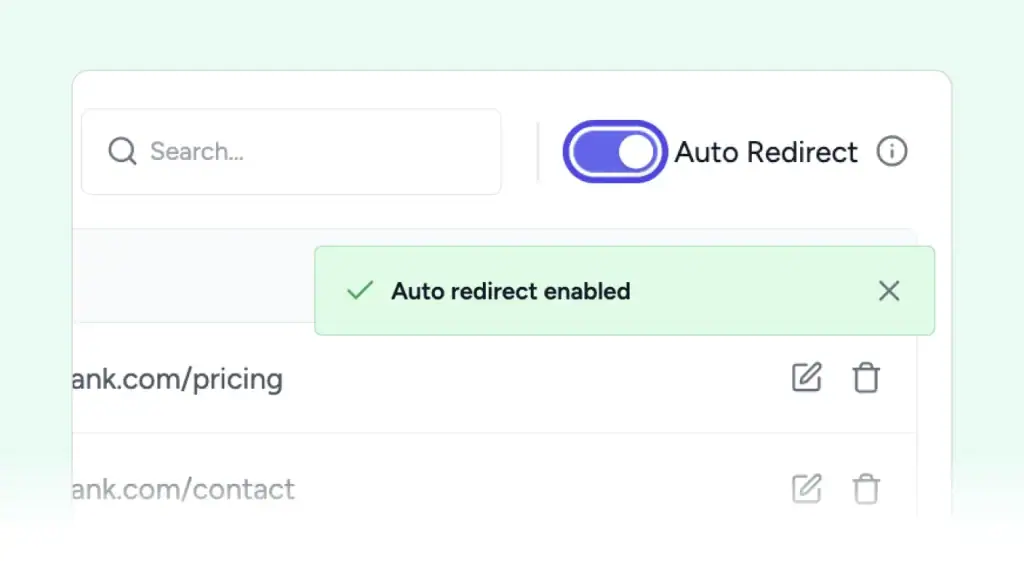
Flip One Toggle, Catch Every Slug Change
Enable Auto Redirect in Redirection Manager to automatically create 301 redirects when post, page, or custom post type slugs change.
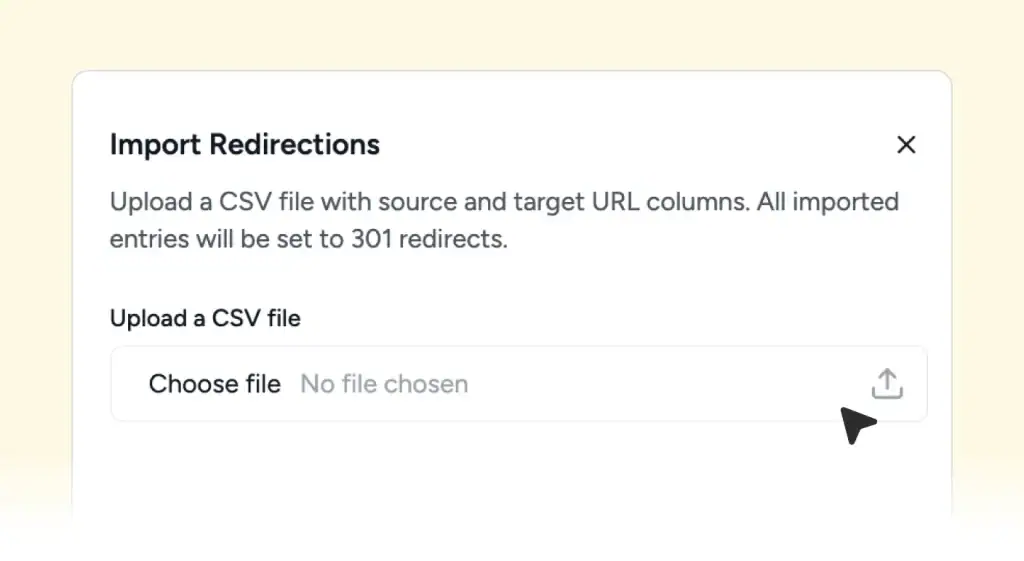
Bulk Import Redirects via CSV
Import redirects in bulk by uploading a CSV file with source and target URLs. Entries will be created as 301 redirects.
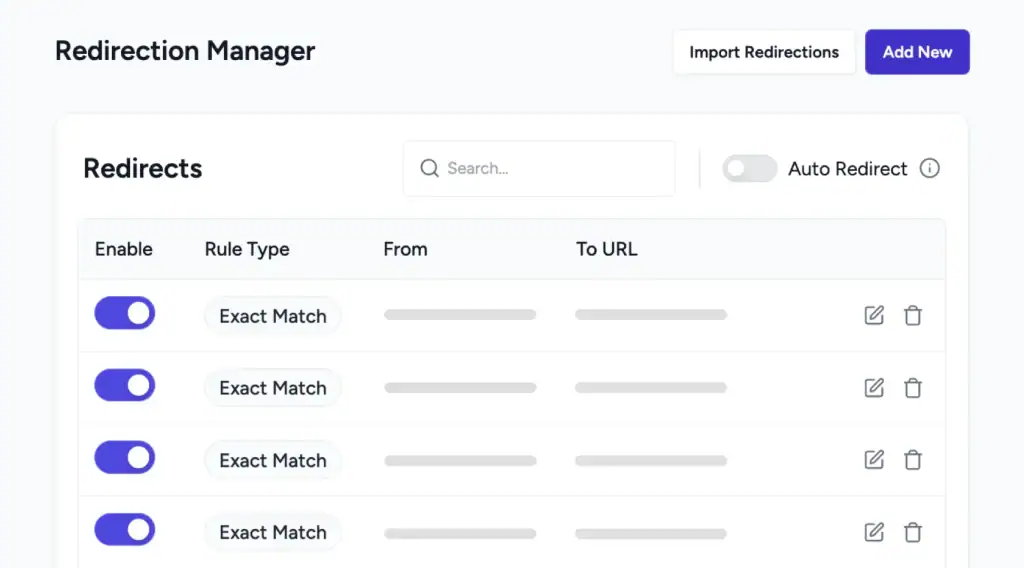
A Clean List View for Every Redirect Rule
Every redirect appears in one list, with the rule type, From URL, and To URL visible at a glance. Toggle individual rules off when you need to, search for a specific URL, edit a rule inline, or delete it.
One Plugin Less, One Workflow Cleaner
Manage redirects alongside meta, schema, and sitemaps. All inside SureRank Pro.
Three Steps to a Working Redirect
Click Add New
A slide in panel opens with fields for From, Condition, and To URL.
Pick a Condition
Choose Exact Match for one URL, or Contains, Starts With, or Ends With.
Save the Rule
The redirect is live. It shows up in the list view with a toggle to disable.
What Auto Redirect Catches
Auto Redirect is off by default. Once you flip it on, here is what triggers a 301.
| Trigger | What SureRank does |
|---|---|
| Change a post slug | Creates a 301 from the old URL to the new one |
| Change a page slug | Same, applied to the page URL |
| Change a CPT slug | Same, applied to custom post type URLs |
Need a redirect for any other reason, like a deleted product, an old campaign URL, or a domain restructure? Add it manually using the steps above.
Meta templates are something I had been hand rolling in Yoast Premium. Having it free in SureRank with a live preview is a real upgrade.
Davide Baraldi
SEO and WordPress Specialis
Who it suits
Built for the way you work in WordPress
If any of this sounds like your site, SureRank’s Search Console integration will fit right in.
Bloggers
Renaming a post slug? Flip Auto Redirect on and the 301 is created.
Agencies
Manage client redirects in the same dashboard as the rest of SEO.
WooCommerce stores
Use Starts With to redirect a whole product category in a single rule.
Site Rebuilds
Change URLs during a redesign and let SureRank protect existing rankings.
Campaigns
Use Query Params to keep tracking links working after URL changes.
News sites
Expire an old story and route traffic to the new one with a single redirect.
Got Questions? We’ve Got Answers
All you need to know about SureRank

Have other questions?
Just reach out—we’re here to help!
No. It is part of SureRank Pro. The free plugin does not include redirect management.
Only if Auto Redirect is turned on. Open the Redirection Manager and flip the toggle at the top. After that, slug changes on posts, pages, and CPTs create a 301 automatically.
Exact Match looks for one specific From URL and redirects only that. Contains matches any URL that contains the From string, so one rule can cover a whole group of pages.
Three options. Exactly Match In Any Order treats URLs with the same parameters as matches. Ignore All Parameters redirects no matter what parameters are present. Ignore And Pass Parameters To Target carries the parameters through to the new URL.
Yes. Every rule in the list view has an Enable toggle. Flip it off to pause the rule, flip it back on whenever you need it again.
No. Rules apply at the request level and add no measurable load. Visitors who never hit a redirect see no performance impact at all.


